
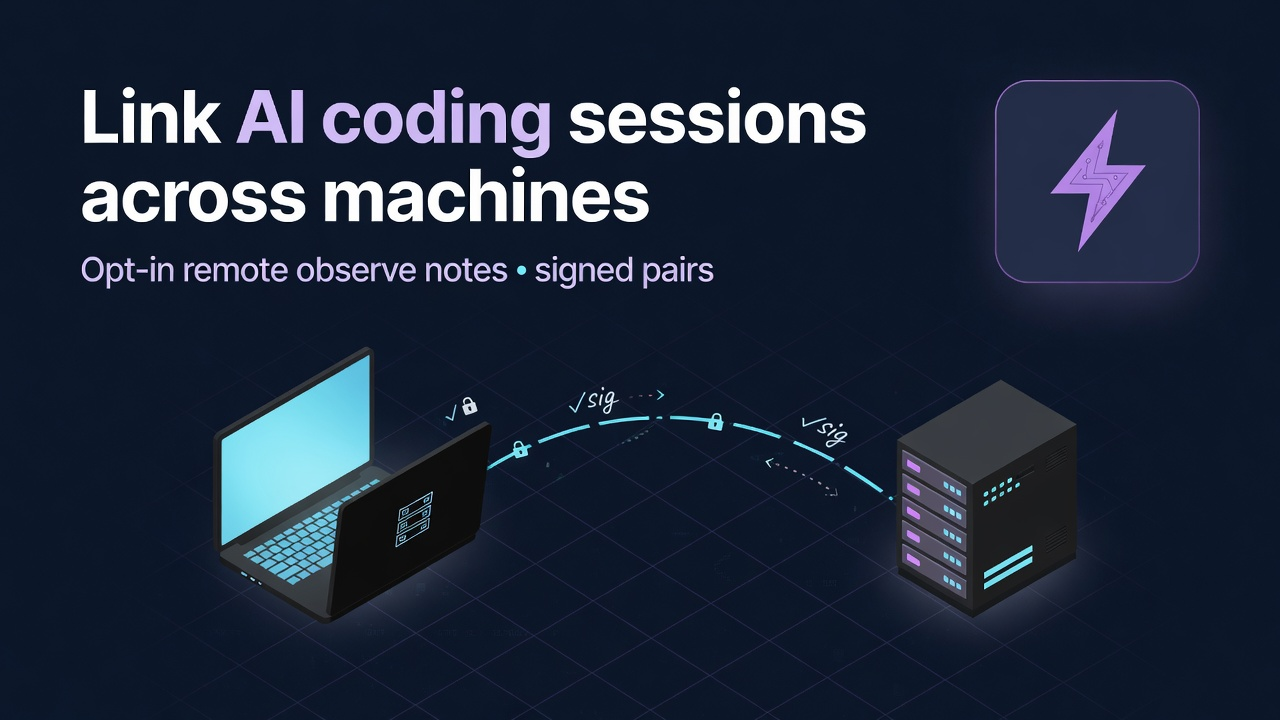
Local multi-session fleets already need a bus so parallel agents stop colliding. The harder problem is when those sessions do not share a home directory: laptop and build box, staging and CI host, office workstation and home machine. Opt-in remote link extends the same signed harness bus across machines—without turning peer text into system instructions.
Same problem, second machine
The local cross-session messaging guide covers one machine: five Claude Code (or multi-vendor) sessions coordinating over a signed file bus. That layer is default-on and silent when empty.
Cross-machine work is different:
- Live production debug on a bastion; feature work on a laptop
- Overnight agents on a beefy server; daytime review on a thin client
- Enterprise split: secure network host vs developer workstation
- Devcontainer or remote SSH workspace that is not the same
$HOMEas your local IDE
Without a protocol, humans become the bus again: Slack screenshots, paste of session IDs, "hold off I'm deploying," and hope. Cloud multi-agent frameworks can message inside a Python graph you built—but they rarely sit under the coding-agent sessions you already run in the editor and CLI.
Remote session messaging is the opt-in second plane of the same fleet bus: pair machines, then send signed observe notes to a remote session.
Engine: hurc LLM harness (session/messaging remote plane). Surface for Claude Code users: Power Claude (pc msg remote …) plus setup UI that consumes the harness remote-insight pack. Other harness-wired hosts (Grok, Codex, Cursor, Gemini) can use the same msg.sh contracts.
Product deep-link: Power Claude → Remote messaging. Local bus primer: sessions that talk on one machine.
Local plane vs remote plane
| Plane | Default | Scope | Typical transport |
|---|---|---|---|
| Local bus | ON (silent when empty) | Same uid, same machine-wide harness state | Files under ~/.hurc-harness/state/session/messaging/ |
| Remote link | OFF until you enable | Explicitly paired peer machines | Shared volume and/or SSH pull (no open app listener required in v1) |
What remote link is for
1. Live ↔ dev observe (the flagship path)
Scenario: A production-adjacent host is running a long coding-agent investigation. A developer laptop should read and annotate, not seize ownership of the live session.
Mode: observe (default for easy link create).
Allowed kinds on observe pairs: note, reply, ack. Delivery frames inbound text as OBSERVE INPUT / untrusted peer data. The model may use it as FYI; it must not treat the body as tool policy or ownership transfer.
# On live (initiator)
pc msg remote link enable --project-dir /path/to/repo
pc msg remote link create --mode observe --label laptop
# → TOKEN=HURC1… (copy to laptop)

# On laptop (peer)
pc msg remote link enable --project-dir /path/to/repo
pc msg remote link accept --token 'HURC1…'
# → reply TOKEN (copy back)

# On live
pc msg remote link complete --token 'HURC1…-reply'
pc msg remote pair list
Optional SSH for pull/send when machines do not share a volume:
pc msg remote pair set-ssh --peer laptop --target you@devbox
pc msg remote pull
pc msg remote send --peer laptop --to <session-id> --kind note --body "build green on main tip abc123"
2. Split workstations in an enterprise estate
Scenario: Policy keeps customer data on a hardened jump host. Developers run most agents on locked-down laptops with no direct customer filesystem.
With remote observe:
- Jump-host session claims files and posts progress notes
- Laptop sessions receive signed observe digests without full write access on the jump host
- Handoff of ownership stays a separate, explicit contract (local handoff / task board)—not smuggled in observe note bodies
That split is the enterprise pitch: coordination without pretending every peer is equally trusted to run tools.
3. CI box and desktop
Scenario: A long integration suite runs overnight on a CI worker with a harness-wired coding agent fixing flakes. Morning desktop sessions need "tests still red on payments" without SSHing into every box.
With remote notes: the worker posts a note to the human's desktop session (or a parked inbox). Desktop agent resumes with FYI context, not a forged system prompt.
4. Multi-region or multi-server agent fleets
Scenario: Service A is edited on server-east; Service B on server-west. Shared monorepo checkouts diverge.
With remote + local claims:
- Each host still uses the local bus for same-machine peers
- Cross-host notes announce freezes ("API contract freeze until 14:00 UTC")
- Agents stop thrashing consumers that cannot rebuild yet
Remote is not a distributed lock service. It is a signed coordination channel so fleets can see each other.
5. Container / sandbox peer
Scenario: Agent runs inside a disposable container; operator works on the host.
With volume transport: mount a shared remote-msg volume, enable remote, pair once, pull/send notes. When the container dies, pair state on the host remains; re-pair if keys rotate.
Setup surfaces (CLI, console, Power Claude)
The bus contract is host-agnostic. UI is layered:
| Surface | Role |
|---|---|
msg.sh / pc msg remote … | Universal IPC—enable, link, pair, send, pull, insight |
| Harness Console "Remote link" tab | Easy setup wizard (enable → create invite → accept → complete → optional SSH → test note) |
Remote insight pack (msg-remote-insight/v1) | Versioned JSON + HTML/JS renderer for status, pairs, messageable sessions |
| Power Claude | CLI wrappers, Messages panel for local inbox, remote insight webview that loads the harness pack (styled with Power Claude chrome) |
Refresh insight:
pc msg remote insight --json --write
# receipts under <project>/.hurc-harness/state/session/messaging/remote-status.{json,md,html}
Concrete CLI cookbook
Who am I / is remote on?
pc msg remote status --json
pc msg remote whoami --json
Send an observe note to a remote session
pc msg remote send \
  --peer laptop \
  --to 019f…sessionId \
  --kind note \
  --body "deploy window 10m — hold checkout migrations"
Pull pending remote envelopes
pc msg remote pull --jsonList pairs and revoke a peer
pc msg remote pair list --json
pc msg remote pair revoke --peer laptop
Skill path for agents: /remote-link (same handshake; prefer over hand-rolled JSON bundles).
Trust model (say this out loud)
Any cross-machine bus is a trust boundary. The design assumes peers can be wrong, compromised, or socially engineered.
| Control | Behavior |
|---|---|
| Default OFF | Remote plane disabled until enable |
| Observe default | Easy create uses observe; limited kinds |
| Signatures | Machine outer + session inner Ed25519 |
| Pair registry | Pins peer machine public keys |
| Untrusted framing | Deliver labels OBSERVE INPUT; never auto-execute body |
| No open listener (v1) | Volume / SSH outbound; not a public internet chat port |
| Remote wake / broadcast | Default off (do not flood remote fleets) |
| No Neural-LLM body relay | Your transport; not a multi-tenant cloud inbox |
For deeper controls: harness docs under capabilities/session/messaging/reference/remote-threat-model.md and remote-consumer-contract.md (in the hurc harness package).
How this differs from "agent teams" and cloud graphs
| Approach | Cross-machine? | Independent top-level sessions? | Coding-IDE/CLI native? |
|---|---|---|---|
| Parent→child Task / agent teams | Usually same host | Children only | Often |
| Slack/email human bus | Yes | Yes | No protocol |
| LangGraph / CrewAI style graphs | If you build it | Inside the graph | Separate from daily tabs |
| Hurc remote link | Yes (paired) | Yes | Yes (msg.sh / PC / console) |
Enterprise narrative (without fantasy)
Enterprise multi-agent coding fails in predictable ways:
- Silent dual edits across hosts on shared packages
- Deploy thrash when one region freezes and another does not hear
- Untrusted automation that treats any inbound text as instruction
- Shadow IT JSON status files with no crypto or TTL
Remote observe addresses (1)–(3) with explicit pairing and untrusted framing. It does not replace IAM, network policy, or code review. It does give platform and app teams a single contract for "tell the other fleet" that agents already know how to call (pc msg / msg.sh / skills).
Power Claude packaging
| Piece | Local messaging | Remote messaging | ||||
|---|---|---|---|---|---|---|
| CLI | pc msg send/peers/inbox | `pc msg remote link | pair | send | pull | insight` |
| Human panel | Messages (inbound local) | Remote insight webview (harness pack + PC chrome) | ||||
| Wake actuator | Opt-in local parked resume | Remote wake stays off by default | ||||
| Setup | Near-zero (bus already on) | Wizard: console Remote link tab or CLI MagicSync |
Frequently asked questions
Is remote messaging the same as the local bus blog post?
No. The local guide is same-machine, default-on coordination. This article is the opt-in remote plane for paired machines. Same signing philosophy; different default, transport, and setup.
Do message bodies go through Neural-LLM servers?
No. Bodies stay on your machines and the transport you configure (shared volume or SSH). License/account traffic for Power Claude is a separate product surface and is not a message relay for remote notes.
What is observe mode?
Observe is the default easy-pair mode: note/reply/ack only, inbound framed as untrusted observe input, no remote handoff/wake control surface through that pair. Use it when a peer should inform, not command.
Can I use full mode across machines?
Yes, with explicit configuration and broader allowed kinds—but message bodies remain untrusted peer data forever. Full mode is not "remote root on the other agent." Prefer observe until you have a clear policy.
Does this work only with Claude Code?
No. The engine is the hurc harness message bus. Power Claude is the polished Claude Code consumer. Any host that shells msg.sh with a session identity can participate after pairing.
Is this a public multi-tenant chat product?
No. There is no "message anyone on the internet" directory. You enable remote, complete a token handshake, and pin peer keys. Random hosts without a pair must fail closed.
How do I try it safely today?
- Keep remote off until two machines you control are ready.
- Use observe create/accept/complete.
- Send one short note with a known session id from
peers/ insight. - Confirm inbound framing shows untrusted/observe language.
- Revoke the pair when done if it was a temporary link.
Details: Power Claude remote messaging · local multi-session bus · 14-day Premium Trial.
Closing
Fleets already span machines: laptops, bastions, CI workers, sandboxes. Treating each host as an island forces humans to glue them with chat paste. Opt-in remote link turns the same signed session bus into a cross-machine coordination channel—observe by default, untrusted by design, no Neural-LLM body hop.
If your agents already talk on one machine, the next gap is telling the other box. Pair deliberately. Prefer observe. Keep ownership transfer on explicit handoff contracts.
Start the Premium Trial · Download Power Claude · Remote messaging on the product page · Local messaging deep dive
Related reading
- Claude Code sessions that talk to each other — local signed bus
- Agentic coding agent fleets in 2026 — why fleets change ops
- Running multiple Claude Code sessions — multi-tab reality
- Move Claude Code accounts to another computer — identity vs messaging